Chrome extension

Ask a YouTube video
anything. Skip to what matters.

Type what you're looking for — a summary, a specific topic, a visual moment — and AI jumps you straight to the relevant clips. Works on videos of any length.

Currently in review with Google. Check back soon.
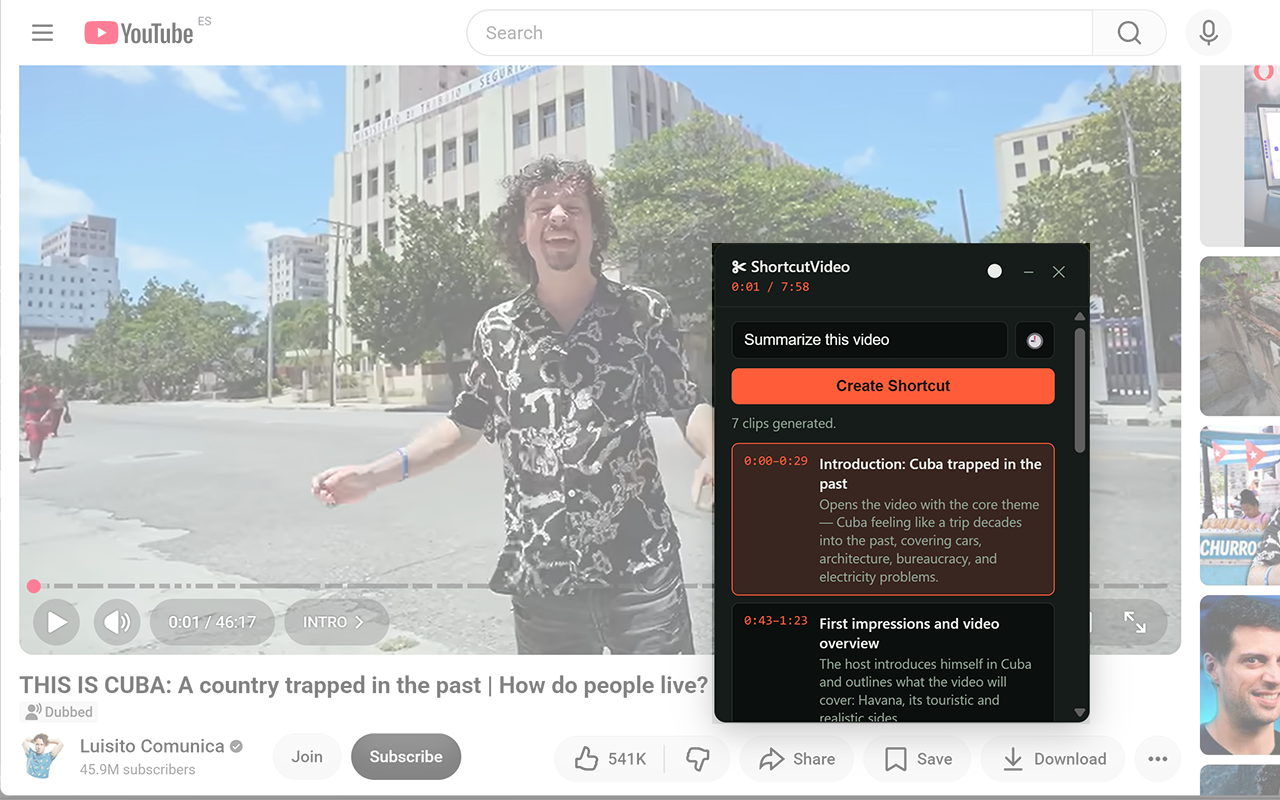
ShortcutVideo panel showing generated clips over a YouTube video
How it works

No scrubbing through the timeline. Just ask.

01

Open any video

The panel appears right on the YouTube watch page — nothing to switch to.

02

Type your request

"Summarize this", "where do they talk about pricing", "show me the best moments" — in plain language, any language.

03

Get your clips

A list of relevant clips plays back-to-back automatically, with a short explanation for each.

Features

Built to handle real videos, not demos.

Any length, including multi-hour videos

Long-form podcasts and documentaries work the same as a 10-minute clip.

Understands what's on screen, not just spoken

Combines the transcript with sampled video frames to catch visual-only moments.

Any language

The panel is available in 7 languages, but you can ask — and get answers — in any language.

No account required

No sign-up, no login. Just install and ask.

Pricing

Free to start. Pay only if you need more.

Free

€0
  • 1 hour of video processed per day
  • A few very long videos per month

Max

€7.49 / month
  • 80 hours of video per month
  • No daily limit

Pro

€14.99 / month
  • 200 hours of video per month
  • No daily limit

Need a little more this month? Top-up packs are available from within the extension.